 (0113) 204 9682

Lemon Casino Log In: Fast Access for UK Users

Getting into an online casino should be straightforward, but a smooth login depends on more than remembering a password. UK players should know how to access their account securely, what to do when sign-in fails, and how to check that the casino is suitable before depositing. This guide looks at the Lemon Casino login experience and the practical steps that can make access quicker without compromising account security.
To visit the site, enter https://gb.lemoncasino-uk.com directly in your browser and use the login option displayed on the page. Avoid following unexpected links in emails or messages. Before entering personal details, check the address bar and make sure you are on the intended website.
Logging in to Lemon Casino
Existing customers can usually sign in by selecting the account or login button and providing the credentials they registered with. Depending on the site’s current design, this may be an email address, username, or phone number alongside a password. Enter the information carefully, especially if your browser automatically fills in an old password.
- Open the casino’s website using a trusted browser or saved bookmark.
- Select the login option.
- Enter the email address or username linked to your account.
- Type your password and submit the form.
- If prompted, complete any additional identity or security check.
A successful login should take you to your account area or the casino lobby. From there, you may be able to view games, check your balance, manage payment methods, review account details, or contact support. Features and navigation can change, so rely on the current site rather than assuming that older instructions still apply.
First-time access and account setup
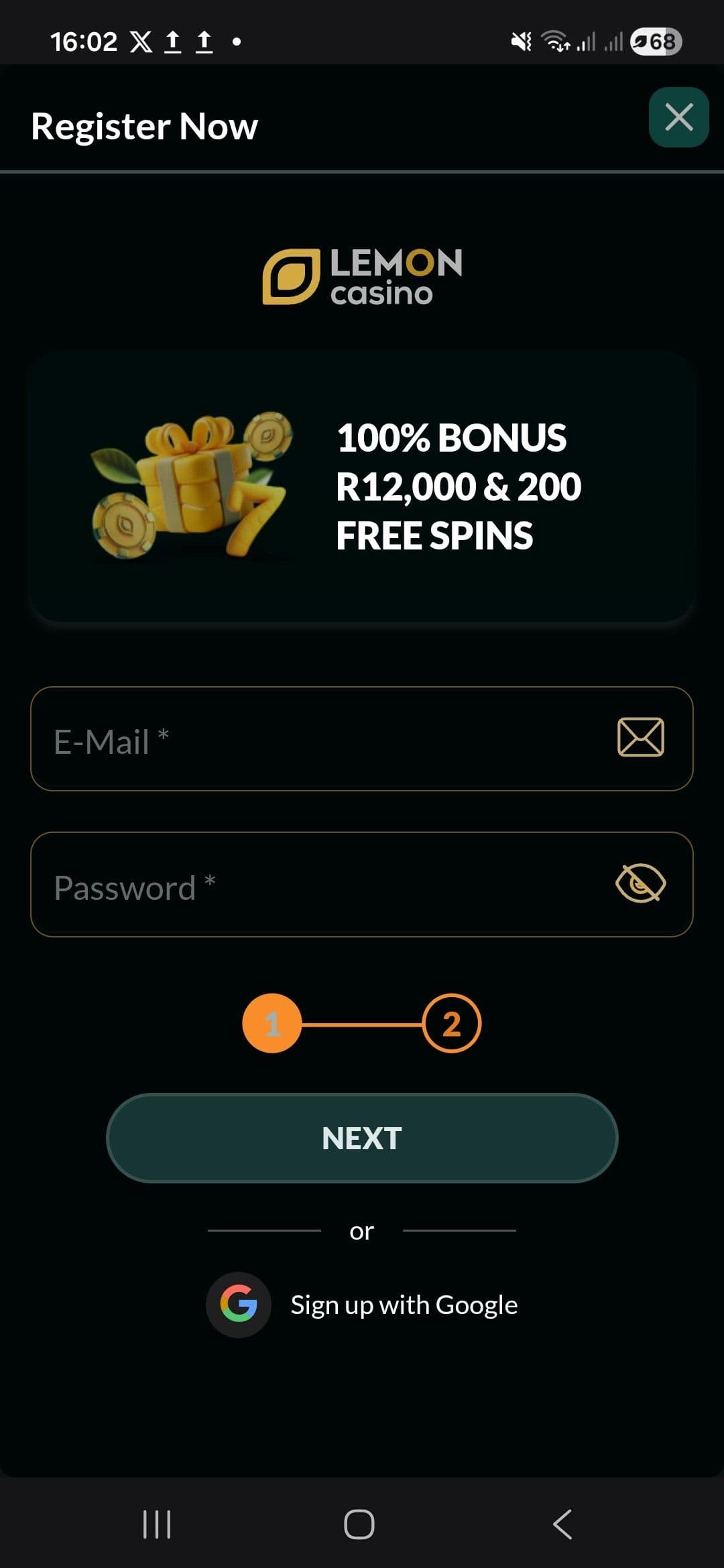
If you have not registered before, you will need to create an account rather than trying to log in. Registration commonly involves entering contact information, choosing a password, and confirming that you meet the legal age requirement. Use accurate details that match your identification and payment records. Inconsistent information can slow verification or make it harder to resolve an account issue later.
UK gambling rules require customers to be at least 18. A casino may also request documents to verify identity, age, address, or payment ownership. Complete these checks through the secure account area or another official channel identified by the operator. Do not send sensitive documents in response to an unsolicited message.
What to do if login does not work
Most login problems have simple causes. Check that Caps Lock is off, confirm that you are using the correct email address, and look for accidental spaces before or after the credentials. If you recently changed your password, make sure your browser or password manager has not inserted the previous one.
Resetting a forgotten password
Use the “Forgot password?” or equivalent link on the login screen. Follow the instructions sent to the email address or phone number registered to the account. If the reset message does not appear, check spam and junk folders, then confirm that you entered the right contact details. Only use a reset link you requested yourself, and never share a verification code with another person.
Other common access issues
- Page not loading: Check your internet connection, reload the page, or try another browser.
- Repeated errors: Clear the browser cache and cookies, then reopen the site.
- Account temporarily locked: Too many unsuccessful attempts may trigger a security restriction. Wait for the stated period or contact official support.
- Verification pending: Check your account messages and submit any requested information using the secure method provided.
- Access unavailable: Service may be affected by maintenance, location, or account eligibility. Check official notices rather than using unofficial workarounds.
If the problem continues, contact customer support through the website’s published channels. Explain what happens, when it started, and which device and browser you are using. Never include your full password in a support message.
Keeping your account secure
Convenient access should not mean reusing weak passwords. Choose a unique password that is difficult to guess, ideally using a reputable password manager. If additional authentication is offered, consider enabling it. Keep your device’s operating system and browser up to date, and use a screen lock on phones and tablets.
Be cautious when logging in on a shared computer. Do not save credentials on public devices, and log out when you finish. On a personal device, a bookmark can reduce the risk of mistyping the address or landing on a lookalike page. Treat messages promising prizes, urgent account fixes, or instant withdrawals with care, particularly if they ask for passwords or payment details.
Choosing an online casino in the UK
A quick login is useful, but it should not be the main reason for choosing a casino. UK players should check whether the operator is appropriately licensed to serve them and review the terms that apply to accounts, bonuses, withdrawals, and identity checks. Confirm that customer support is reachable and that the site provides clear information about responsible gambling tools.
Before making a deposit, read the relevant terms rather than relying only on promotional wording. Bonus offers may include eligibility rules, wagering requirements, game restrictions, and expiry dates. Payment options and processing times can vary, and verification may be required before withdrawals. Do not assume a particular method or timeframe is available unless the current cashier and terms confirm it.
Responsible play after signing in
Once logged in, set limits that fit your personal budget and treat gambling as paid entertainment, not a way to earn money or recover losses. If the casino provides deposit, time, or loss limits, consider setting them before playing. Take breaks and stop when you reach your limit. If gambling is causing stress or financial harm, do not deposit more; use available account controls and seek independent support.
UK customers can find confidential guidance through organisations such as GamCare and the National Gambling Helpline. Self-exclusion tools may also be available through the operator or relevant UK schemes. Using these resources is a responsible step, not a failure.
Quick answers for UK users
Can I log in from my phone?
If the website supports mobile access, you can normally sign in through a compatible mobile browser. Use a secure connection and avoid public Wi-Fi when entering account or payment details.
Why is the casino asking me to verify my identity?
Age and identity checks are part of account security and regulatory compliance. Submit only the information requested through the casino’s official secure process, and contact support if the instructions are unclear.
Should I create another account if I cannot get in?
No. A duplicate account may breach the operator’s terms or complicate verification. Use the password recovery process or ask support to help restore access to your existing account.
Does successful login mean I can withdraw immediately?
Not necessarily. Withdrawals may depend on verification, payment-method rules, account status, and the casino’s published terms. Check the cashier and withdrawal conditions for current details.
A simple, safer route to access
For UK users, the best approach to Lemon Casino login is to go directly to the official site, enter the credentials associated with the account, and complete any legitimate security checks. If access fails, use the password reset option or contact official support instead of creating another account or following unverified links. Reviewing licensing information, account terms, and responsible gambling controls before depositing helps make the overall experience more informed.